PRODUCT UPDATES
March 18, 2026
Introducing Group Chats in Jusnote: Streamline Your Law Firm’s Communication
What are Group Chats in Jusnote?
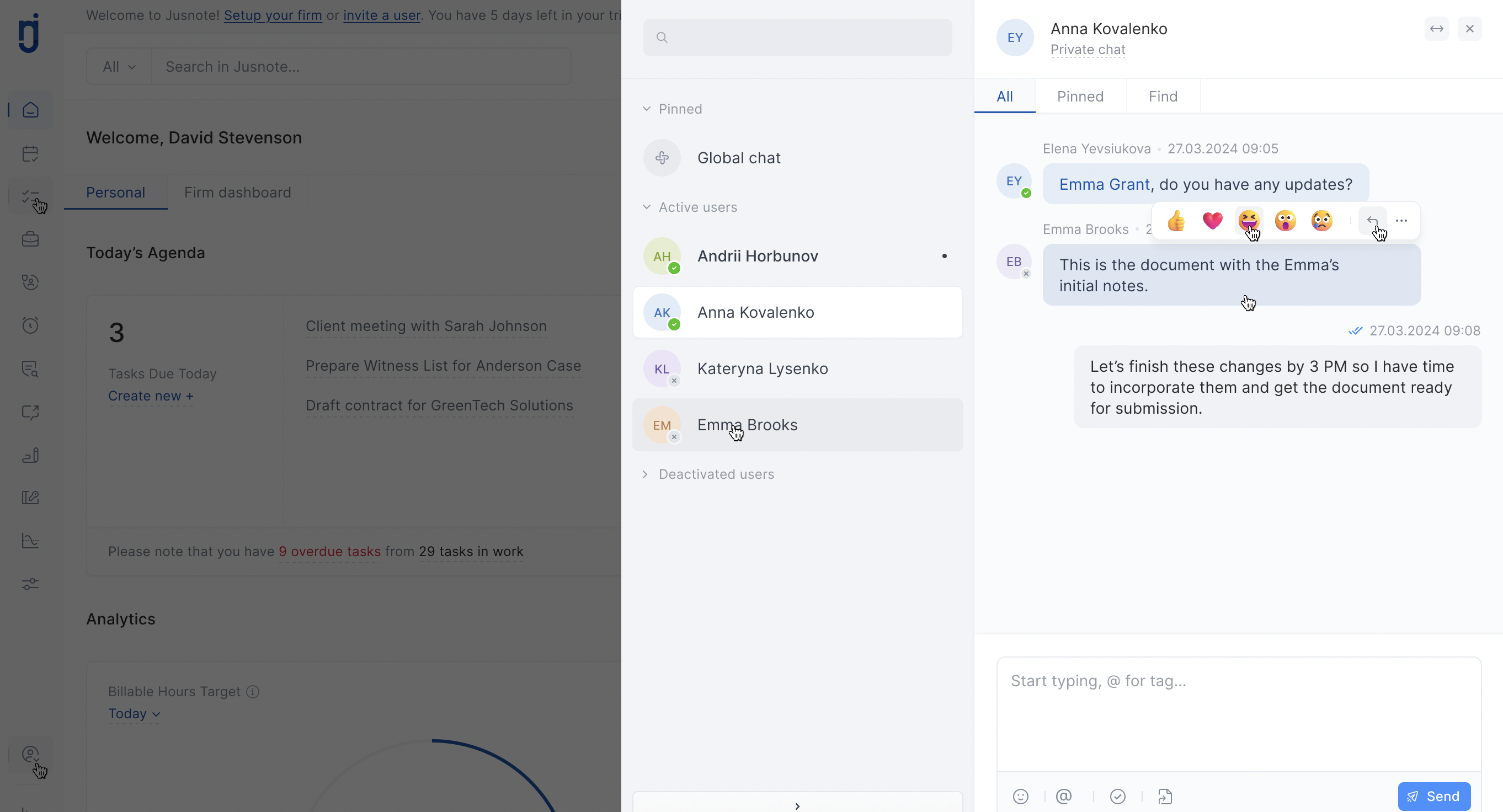
A secure, built-in messaging solution designed specifically for legal professionals. It allows teams to create private or case-related group discussions within the Jusnote Practice Management Software.
In the fast-paced legal world, information is your most valuable asset. Today, we are excited to announce a major update to the Jusnote ecosystem: Group Chats. This feature is designed to centralize your team’s internal communication, moving it away from fragmented third-party apps and into a secure, professional environment.
Why Your Law Firm Needs Integrated Group Chats
Managing legal matters requires constant collaboration. Relying on personal messengers like Telegram or WhatsApp often leads to data silos and security risks. Jusnote’s new Group Chat functionality solves these challenges by keeping every discussion right where your work happens.
Key Features for Legal Teams:
-
Matter-Centric Discussions: Create dedicated channels for specific cases or clients. Keep all case-related communication organized and easily accessible.
-
Secure File Sharing: Share sensitive documents, evidence, and invoices within Jusnote’s encrypted infrastructure, ensuring compliance with legal data protection standards.
-
Team Tags & Mentions (@): Need a quick update from a partner? Use mentions to trigger instant notifications and get faster responses.
-
Seamless Integration: Link your chats to tasks and matters, so new team members can catch up on the history of a case in minutes.
“Our goal is to transform Jusnote into a complete Digital Workplace for lawyers. Group Chats are a vital step toward a paperless, highly efficient legal practice.”
How to Get Started with Group Chats
Activating your first group chat is simple:
-
Go to the Messages module in your Jusnote dashboard.
-
Click Create New Group.
-
Add team members and name your chat (e.g., by case number or department).
-
Start collaborating in real-time.
Benefits for Firm Management
For CEOs and Managing Partners, this update provides better oversight of internal workflows. By centralizing communication, you reduce the “noise” of external apps and ensure that institutional knowledge stays within the firm.
Boost your firm’s productivity today. Log in to your Jusnote account and try the new Group Chat feature.

 Case Management
 Time & Billing
  Task Management
  Team Communication
  Reporting & Analytics
  Client Management
  Client Portal
  Mobile App


 About company
  Our leadership
  Join the team
  How we design
  Software reviews
 Knowledge base
 Customer support
 Newsroom
 Jusnote Newsroom
  Search Newsroom
 Back to all publications